



The gaps in the daily transit experience
Despite its growing popularity, the Mo Bus app failed to meet the expectations of its everyday users. The app has been downloaded more than 1 million times on Android itself however it has only 2.5 stars from 8000+ reviews in Google play store. For many, finding accurate routes or planning their trips felt confusing and time-consuming. While being one of the best services in the city, the mobile app which provides route information and booking service has not been popular among the users. This project set out to identify these pain points and reimagine a smoother, more intuitive commuting experience built around real user needs.
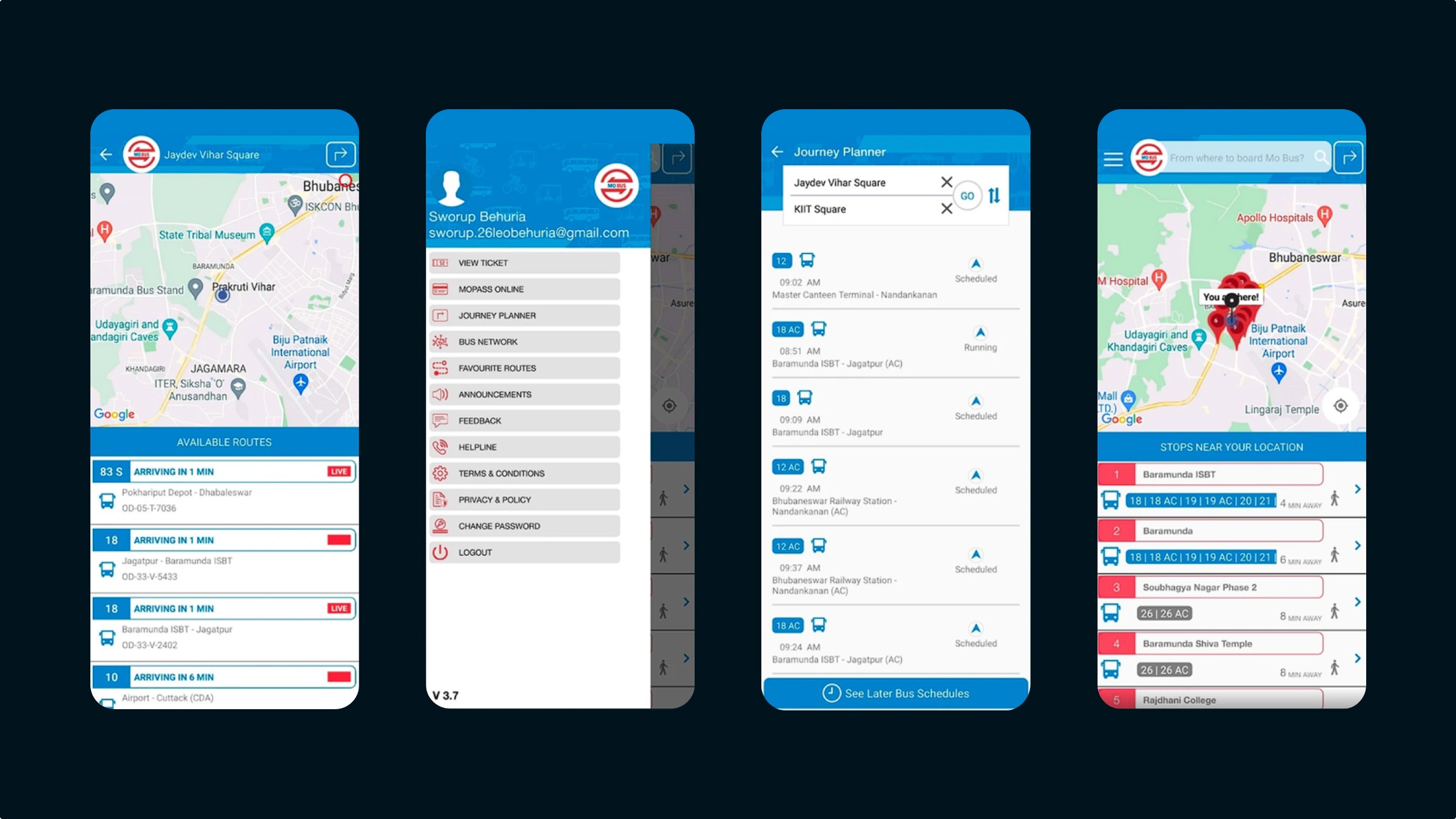
Expectations from this project
In order to prevent anything similar happening in the future, I wanted to know the exact reasons behind the low app store ratings and find out ways to enhance Mo bus mobile application and increase user approval rating.
My approach: Research and redesign
To create a meaningful redesign, I began by understanding how people actually used the Mo Bus app in their daily lives. Through user interviews and on-ground observations, I identified common frustrations and needs. The research data led to visual design and prototyping, where I focused on simplifying navigation, improving accessibility and ensuring the experience felt effortless for every type of commuter.
Analyzing the existing mobility solutions
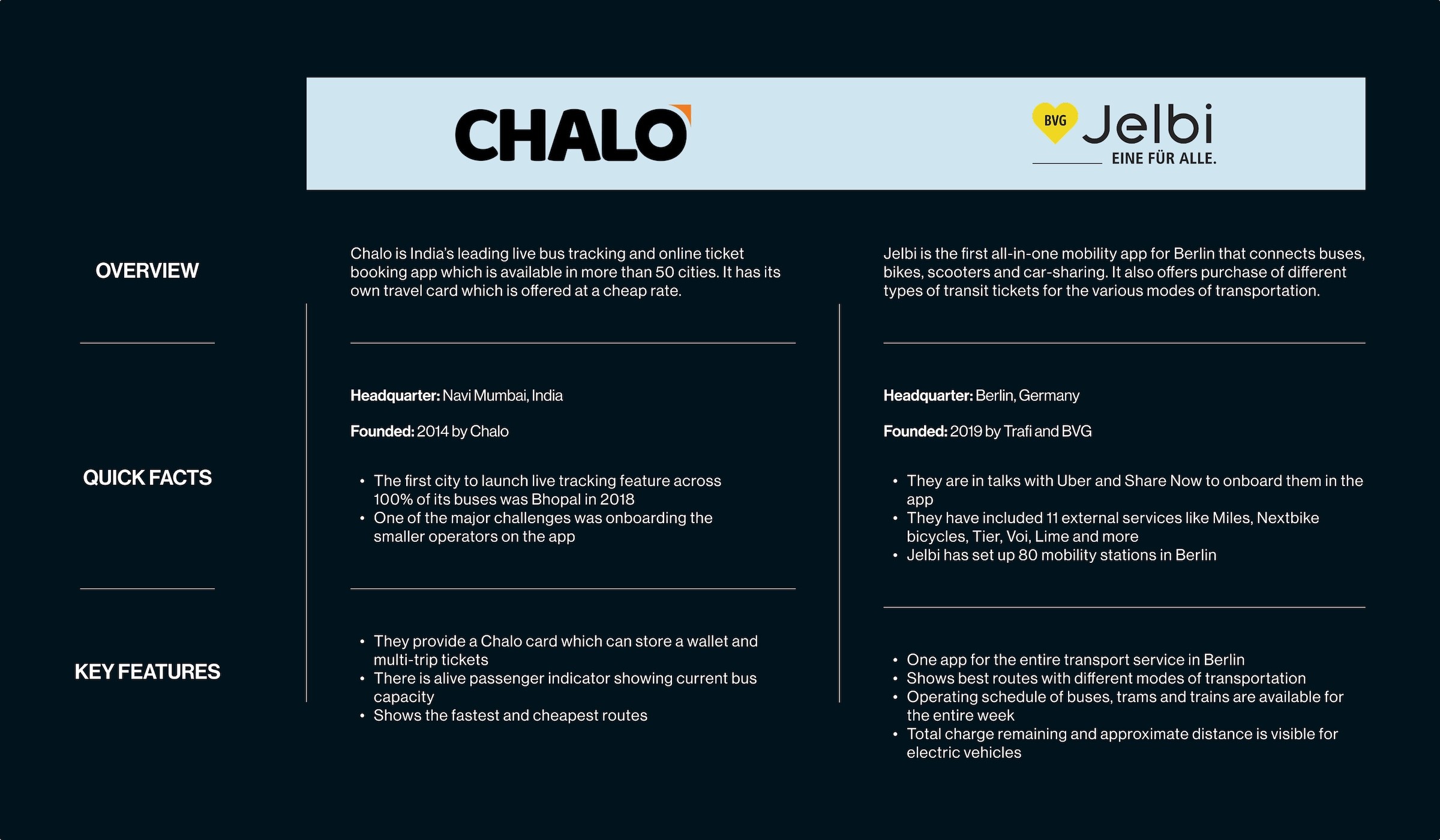
I was in Germany for over a year where public transport was very convenient. I noticed how simple and accurate the information was on their public transport app. Bus, U-bahn, S-bahn, e-bike, taxi, car rentals, everything was beautifully integrated in one single app. In India, public transport isn't properly developed and there are just a couple of apps for it. Most of the apps are limited to booking tickets for buses, trains or hotels. I looked at some of the applications that can be compared with the Mo bus app.
Understanding the users
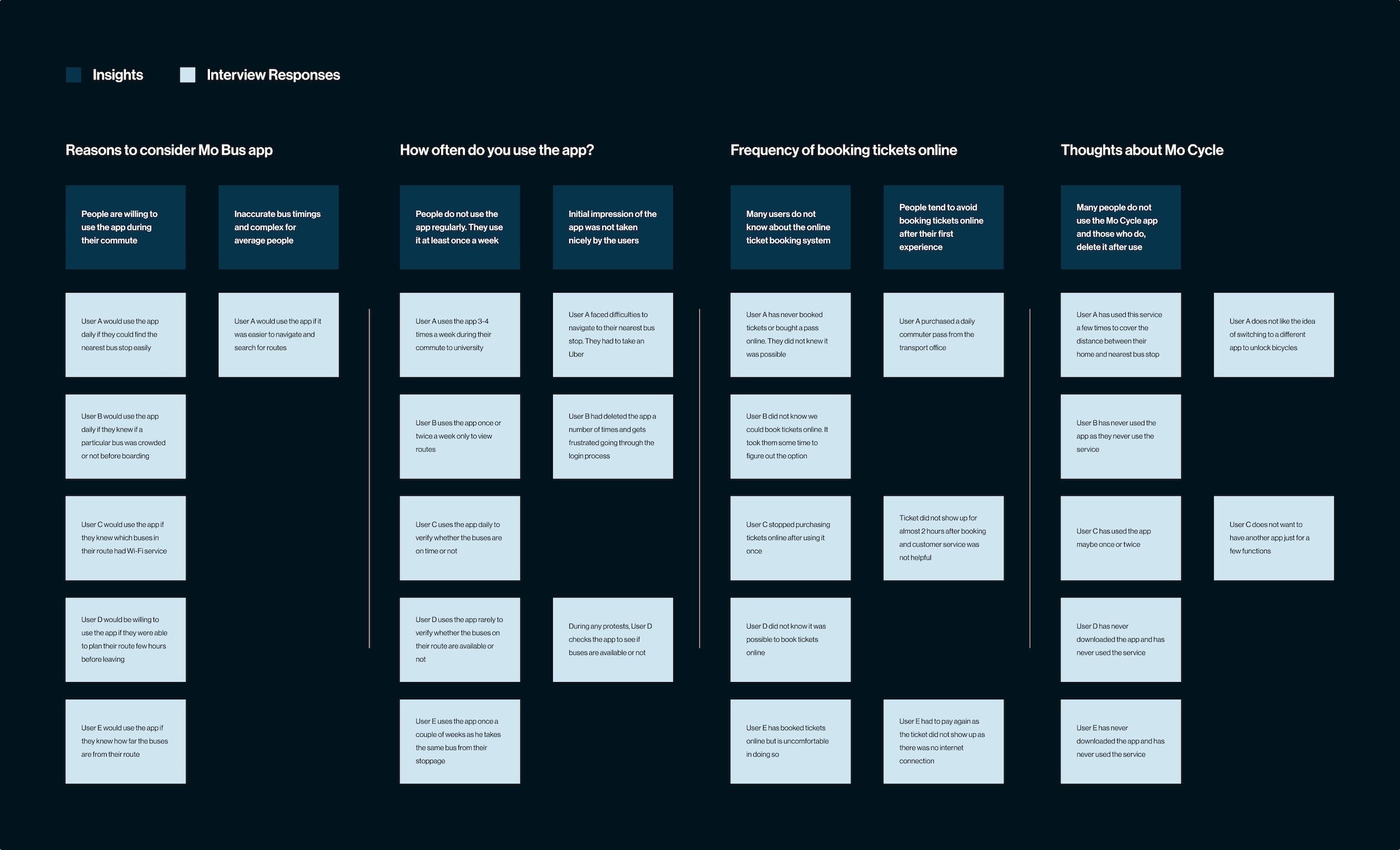
To uncover real user pain points, I conducted phone interviews with daily Mo Bus commuters, including students, office workers and senior citizens. Every participant was asked the same set of questions and their responses were documented. Based on the research: - Many users didn't feel like using the app often although they used the bus service - Some didn't even know that it was possible to buy passes and tickets for their trip through the app - Users felt that the app displayed way too much information which made it confusing - Users found it difficult to trust the timings displayed in the app
Understanding the user flow
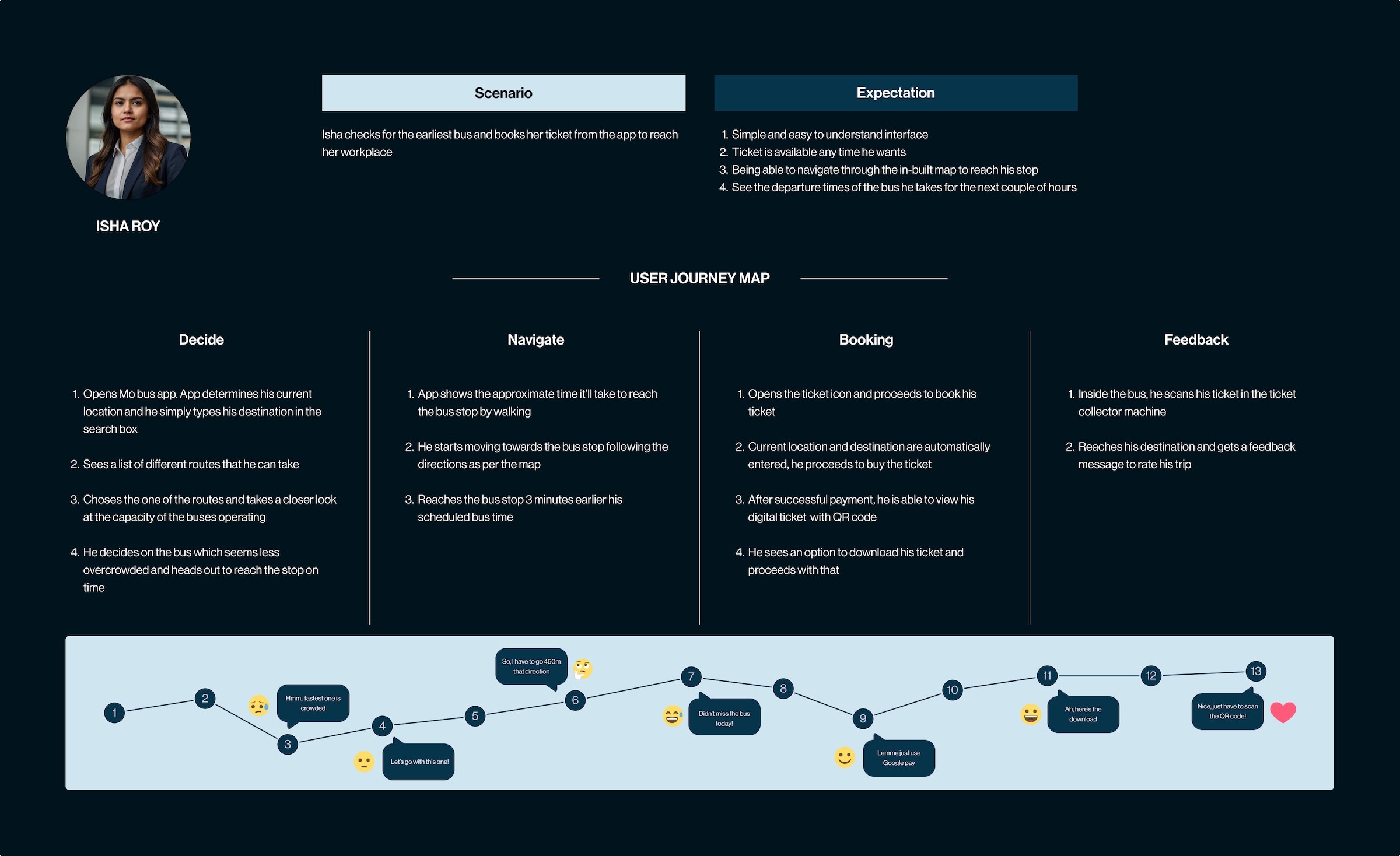
To translate research insights into actionable design directions, I created a user journey map that visualized how commuters interact with the Mo Bus app throughout their day. This visualization helped identify key moments of frustration, such as confusion during route selection or uncertainty while waiting for real-time updates.
Designing a clear path for every user
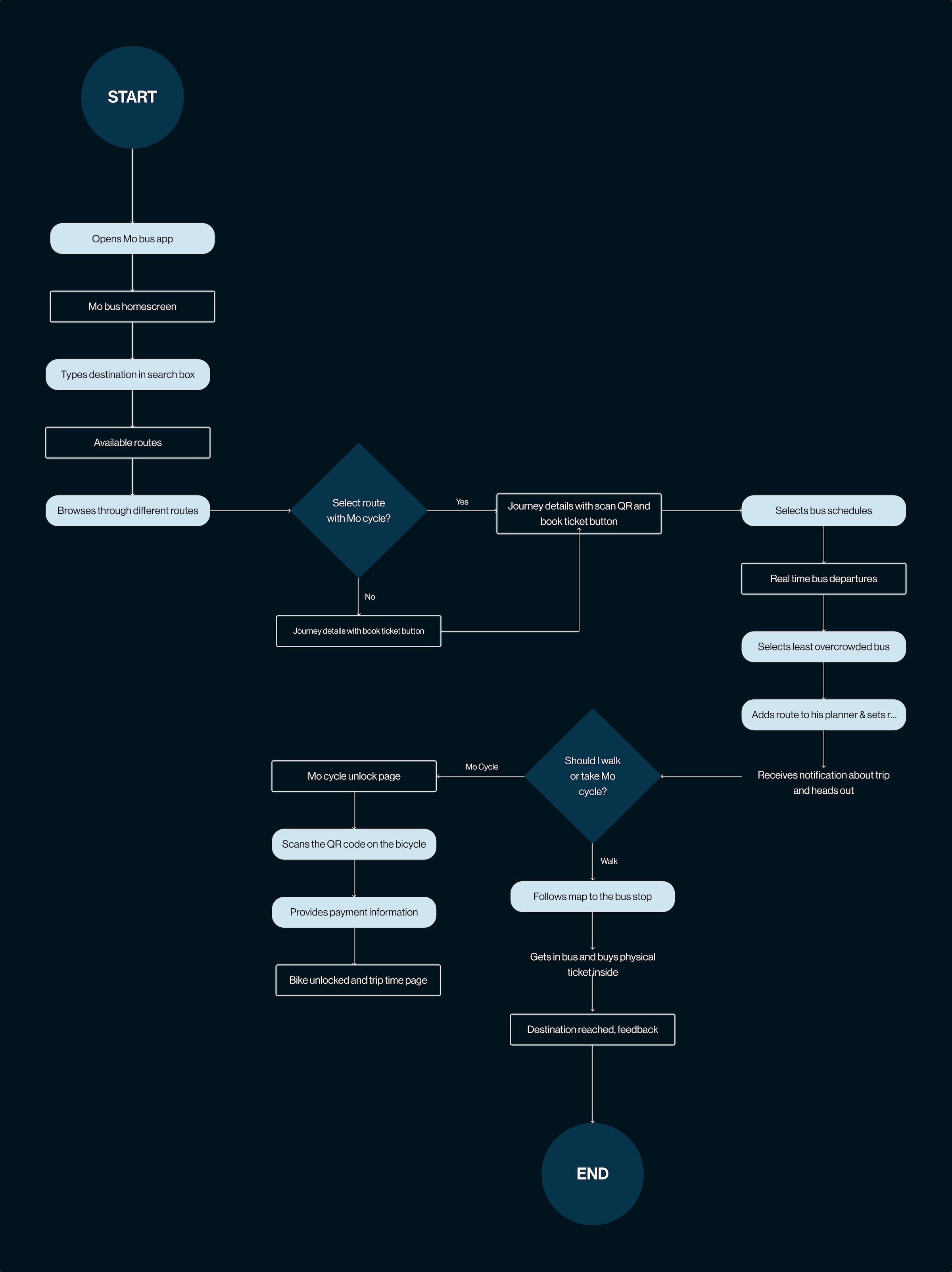
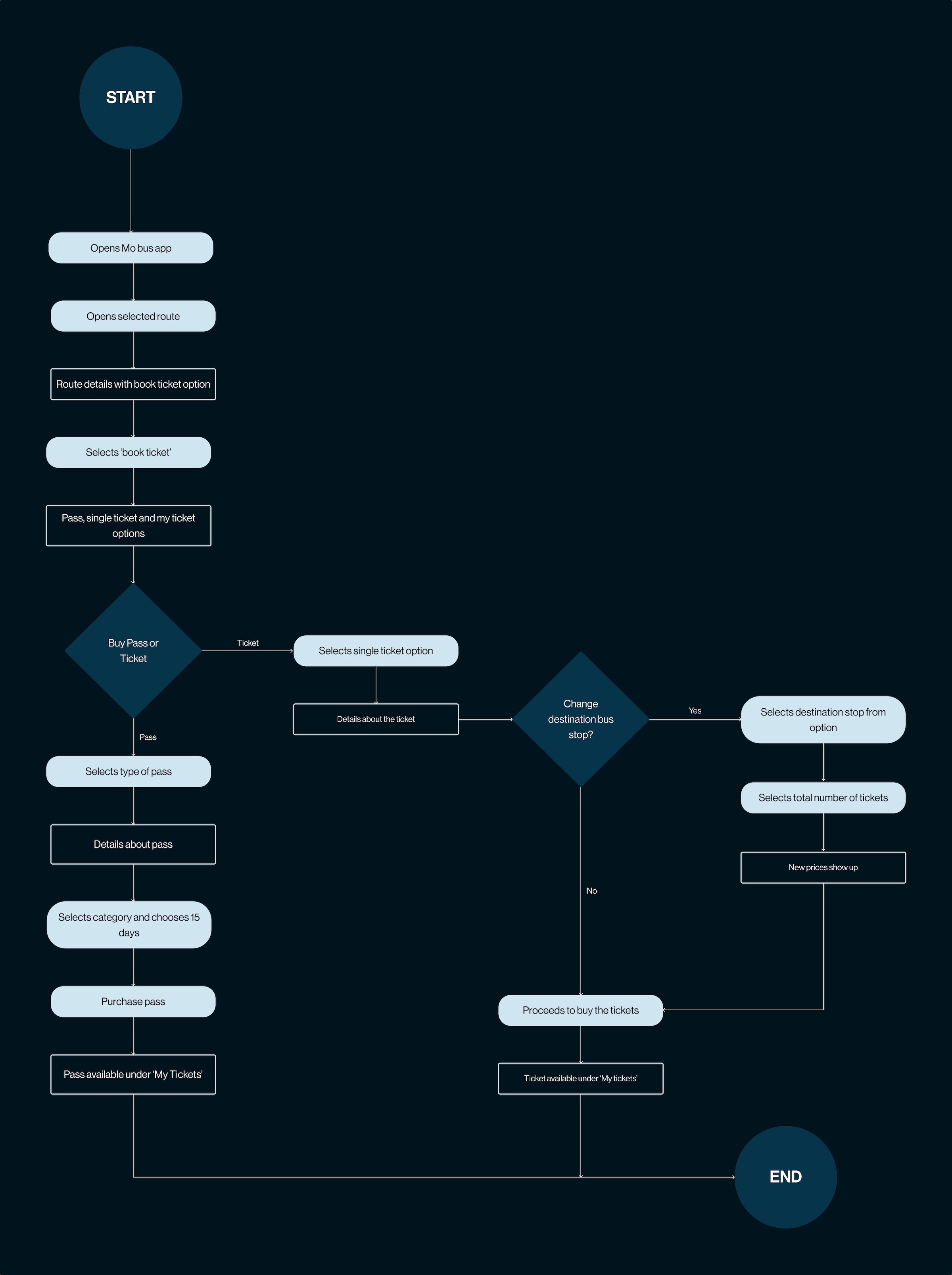
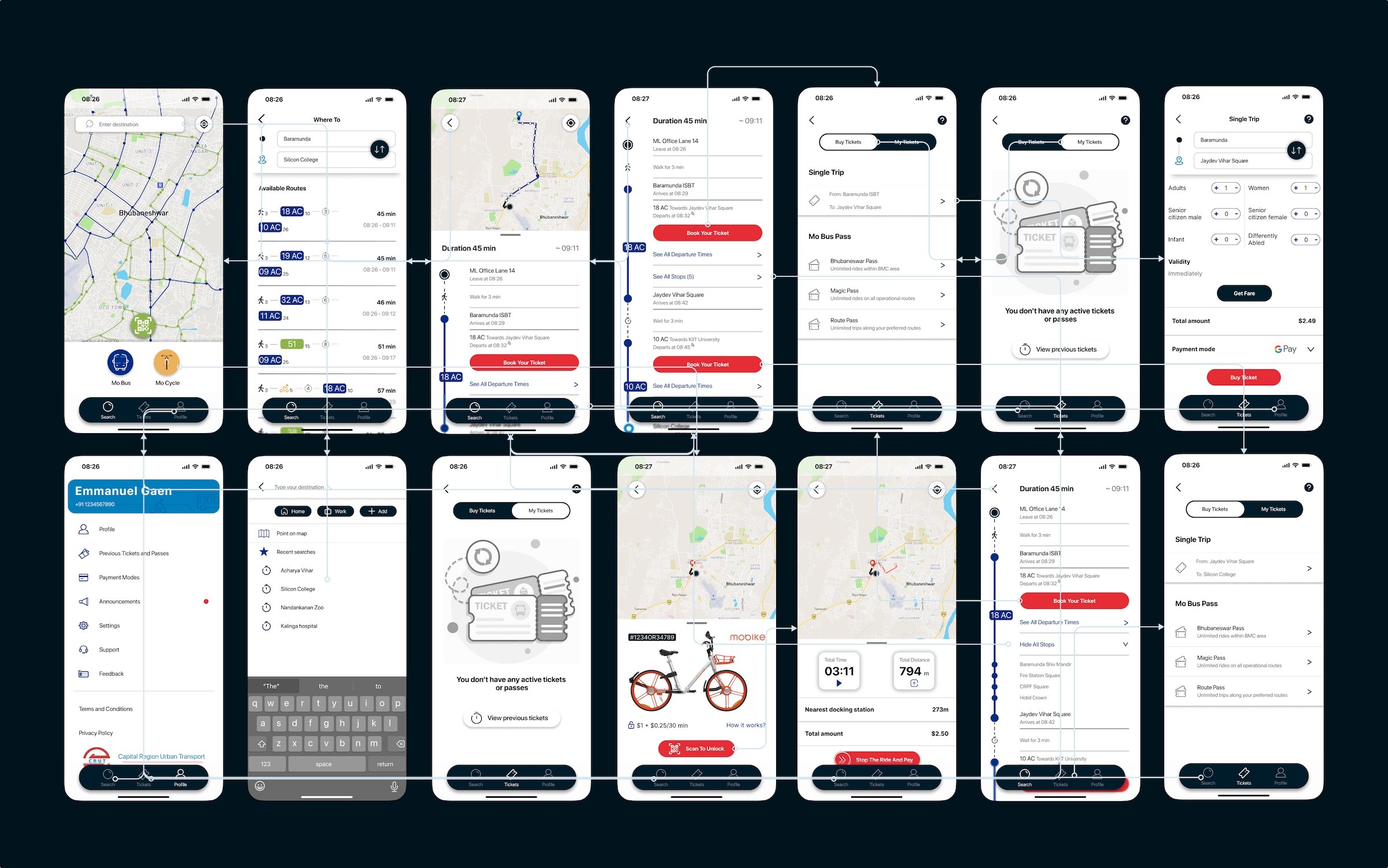
I created two user flows with two separate scenarios. In the first scenario, it is the first day of work at Isha's new office, so she woke up early and takes a look at the journey planner to reach her workplace on time. Once she is inside the bus, she buys the physical ticket. I mapped out the flow with all the pages necessaryin the app and all the possible turning points for Isha to successfully reach her goal and accomplish her task. In the second scenario, as Emmanuel takes the same route to reach his workplace, he decides to buy a pass instead. Here, I wanted to make the process of purchasing tickets and passes easier and quicker through the app. My solution was to make the ticket purchasing menu easily accessible and to make the purchased tickets available even when offline.
Exploring ideas through sketches, wireframes and testing
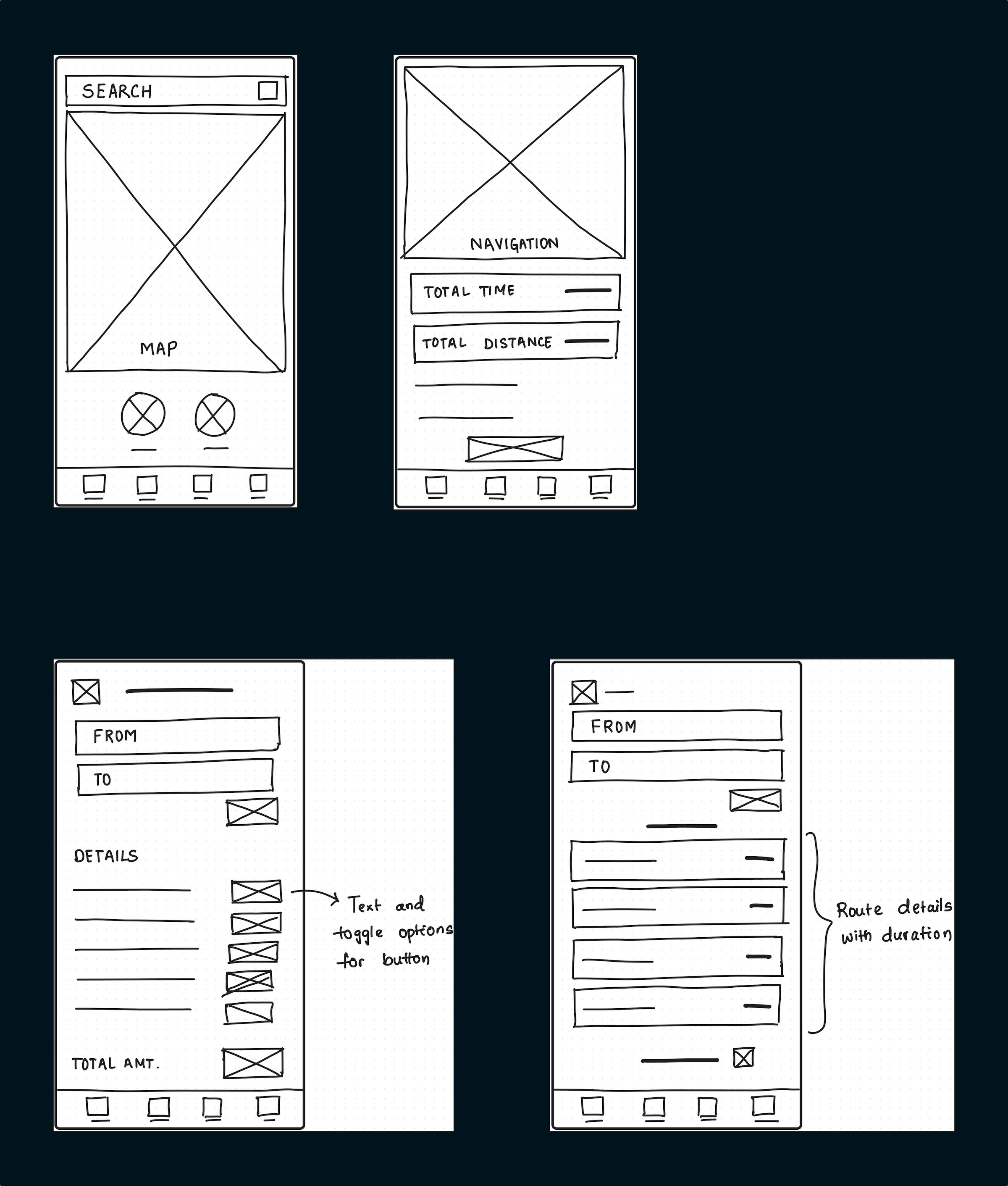
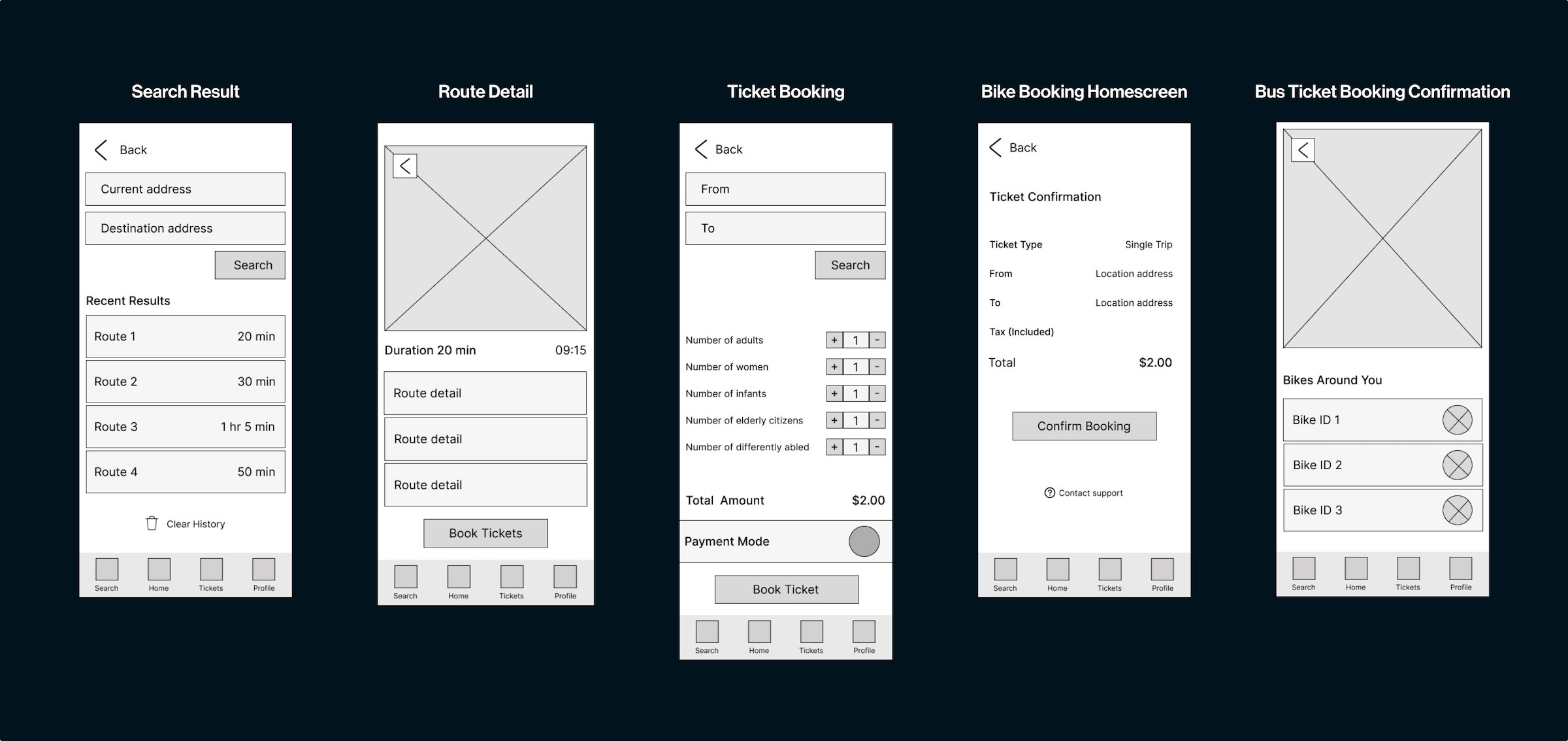
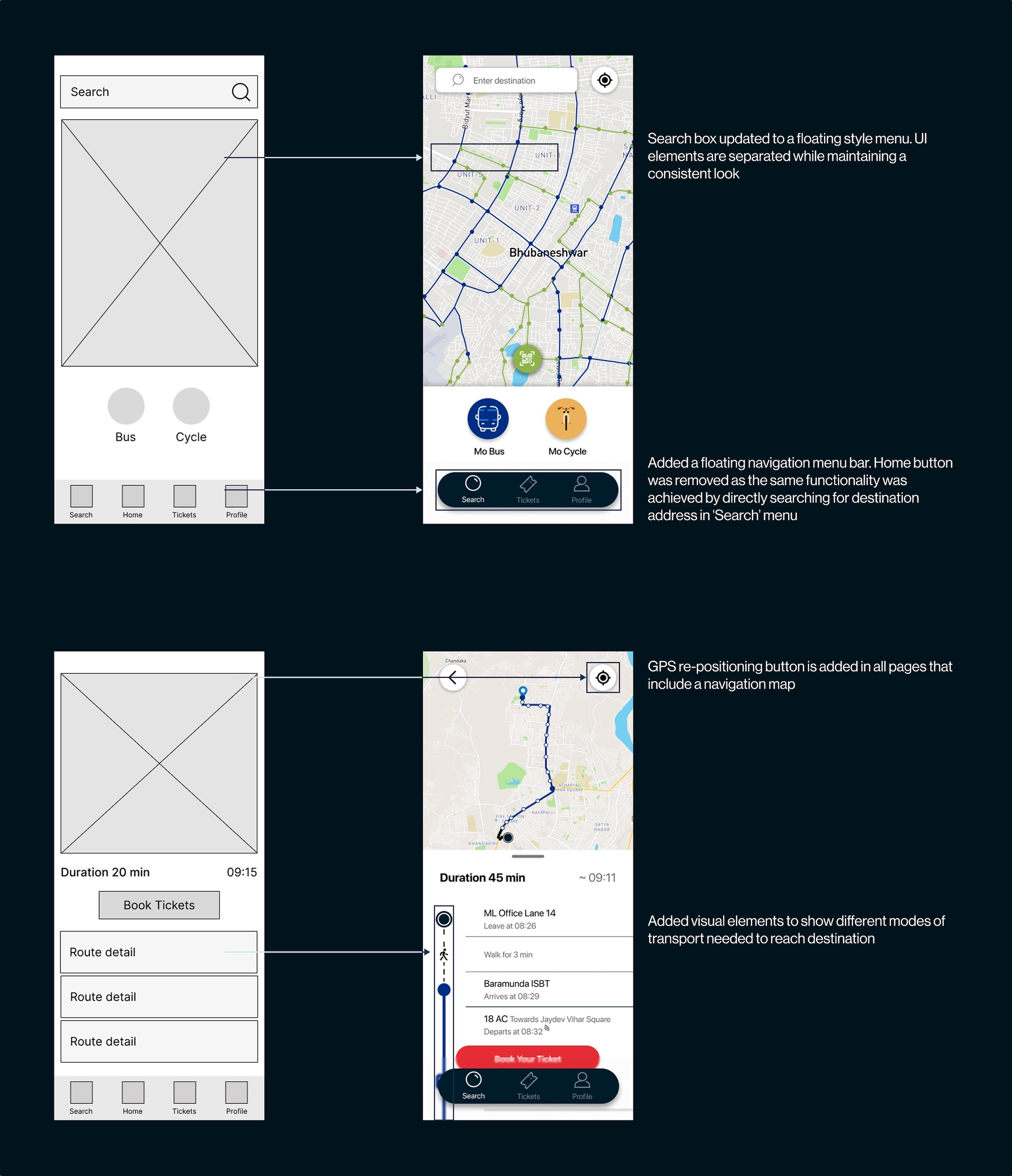
Starting with rough sketches, I explored multiple layout possibilities to visualize how users would navigate through key features. These sketches helped me quickly iterate on ideas and identify the most intuitive paths before moving into higher fidelity design. Based on the sketches, I started building digital wireframes to refine the frames and properly display the features that could help us solve the challenge statement. I started with re-designing the home interface and integrating bicycle booking in one single app. This idea behind it was to reduce redundancy and make operating the app much easier. I also revamped the journey details page to show the exact routes available to the user, all the way from their doorstep to the end of the journey. To validate these ideas, I conducted quick usability tests with a small group of users, observing how they interacted with the prototypes and identifying areas of confusion. Their feedback informed the final refinements, ensuring the design aligned closely with real commuter behavior and expectations.
Shaping the look and feel
After observing the results from the usability test, I started working on the mockups. I maintained the brand identity by using the exact same color palette and fonts as the original app and made changes to improve the app's overall look and feel. One of the prominents changes made was with the navigation bar.
The outcome of the redesign
The redesign successfully addressed the major challenges users faced with the previous Mo Bus app. I observed: - Users were able to access the ticket and pass menu and found it easier to book tickets online - The map changes were positive and people were interacting with it to view their route in details visually - The live arrival and departure of buses with an approxiamte time to reach destination, saw a lot of interactions
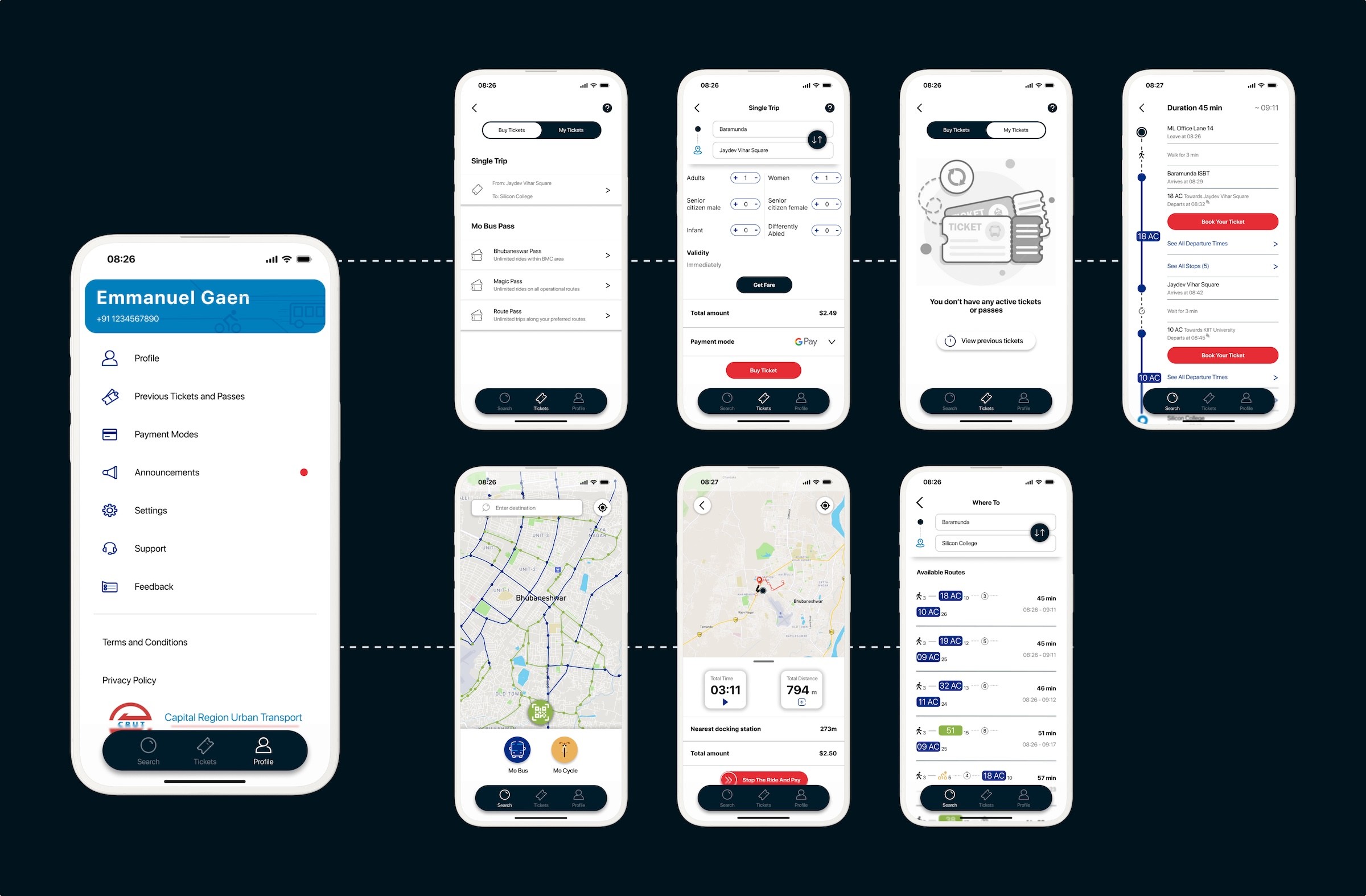
With ratings improving on the play store and becoming one of the most reliable, easy-to-use platform for taking public transport. This new design not only improved usability but also strengthened user trust in the Mo Bus ecosystem.