Defining structure in the absence of a design system
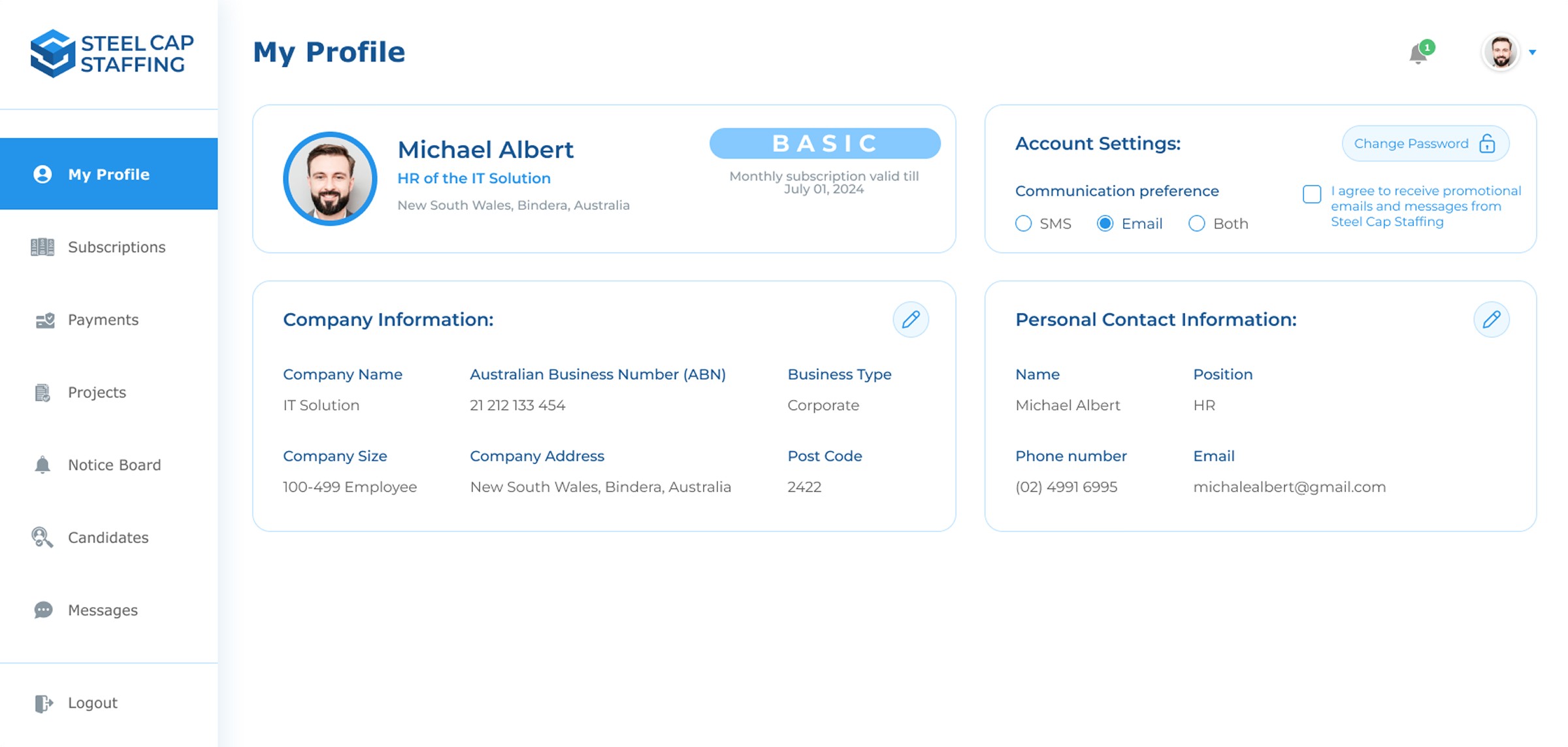
The project began without a defined design system or visual guidelines, resulting in inconsistencies across layouts and components. To bring structure and clarity, I reviewed the RFP and created a set of foundational styles and variables in Figma, covering typography, color, spacing and component rules before designing the web pages. This helped establish a consistent framework that guided all future designs.
Tracing the roadblocks
The previous workspace had multiple designs of the same page all scattered around. This caused confusion for the client and led to repeated back-and-forth between new and previously rejected designs. My first step here was to start from a new blank workspace and keeping all the designs organized.
Designing with structure
In the new workspace, instead of working on multiple pages at once, I approached the project one page at a time. I reviewed the RFP and previous design for each page, redesigned it, iterated based on feedback, and only moved to the next page once it was finalized. This step-by-step approach made the process smoother and helped maintain visual and structural consistency across the entire platform.
Refining the dashboard with data visualization
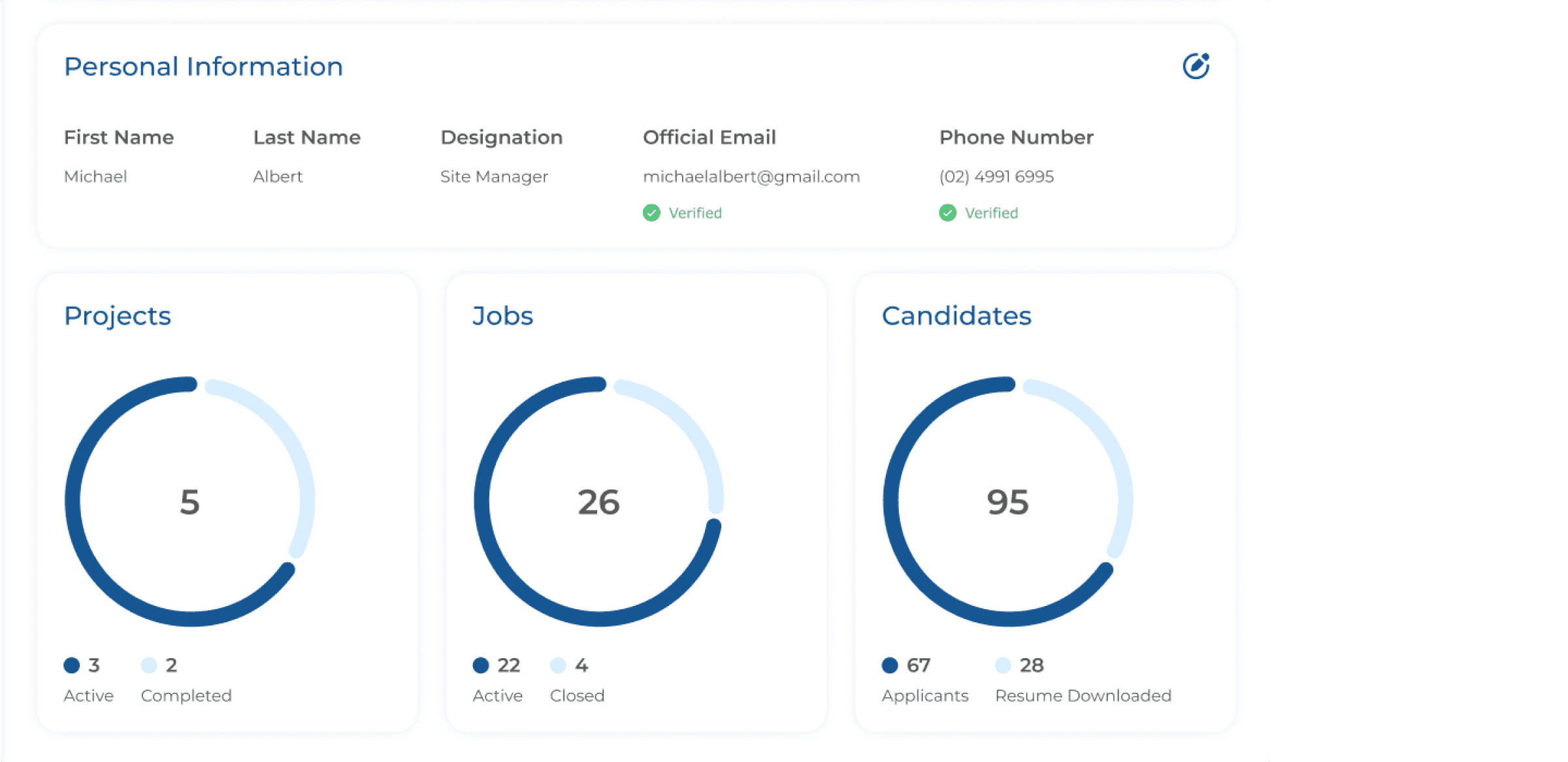
The dashboard underwent a complete visual refresh to create a cleaner, more organized layout. A major addition was the introduction of data visualization - graphs that display projects, jobs and candidates which can be customized based on the user. This was done to make it easier for the recruiters to learn about important data without diving too deep into menus.
Advanced search and filtering
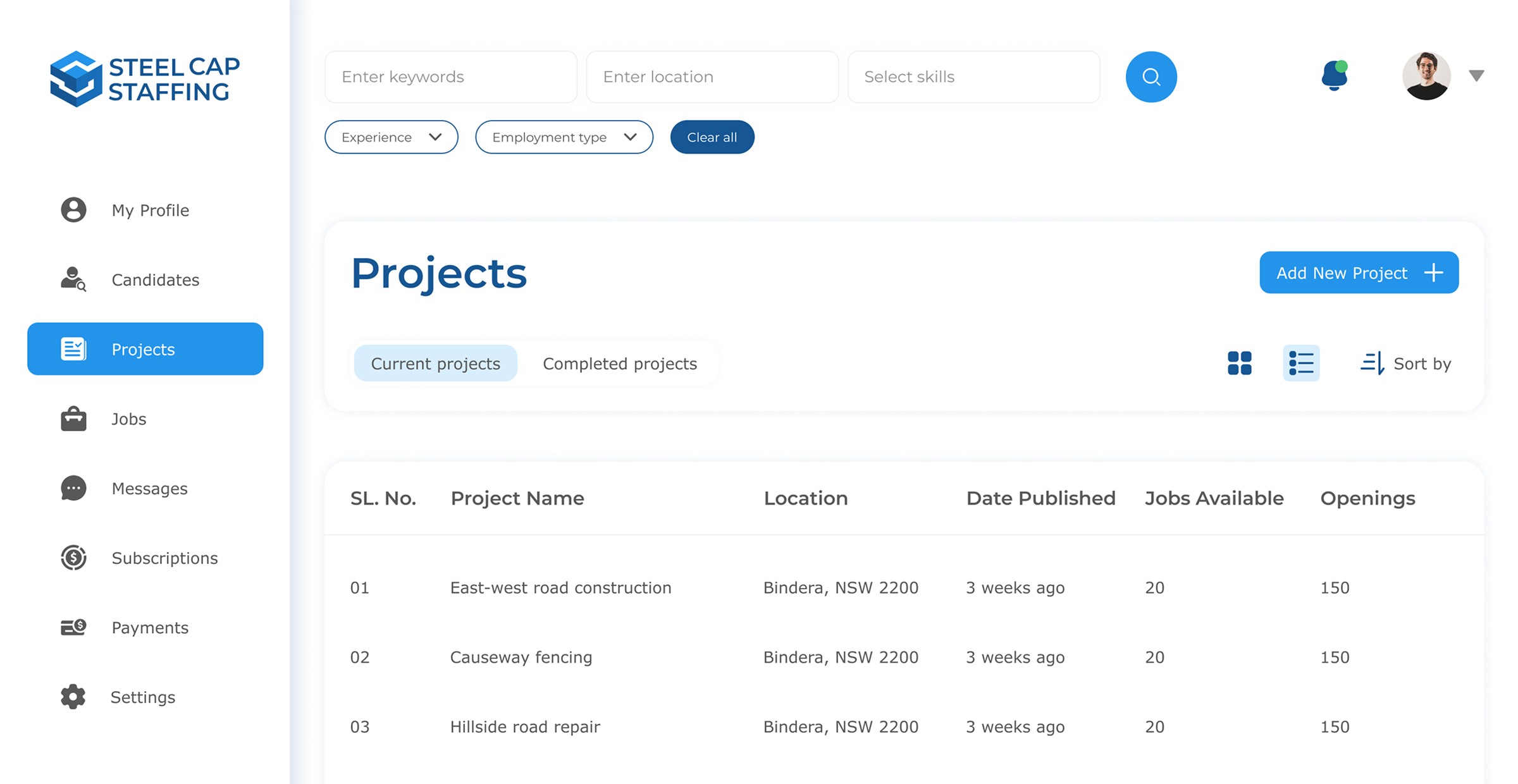
Being a portal with hundreds of jobs, in order to make it easier for recruiters to find a particular job, I introduced a multi-criteria search with keyword, location and skills inputs, plus quick filter chips.
Creating the in-platform messaging system
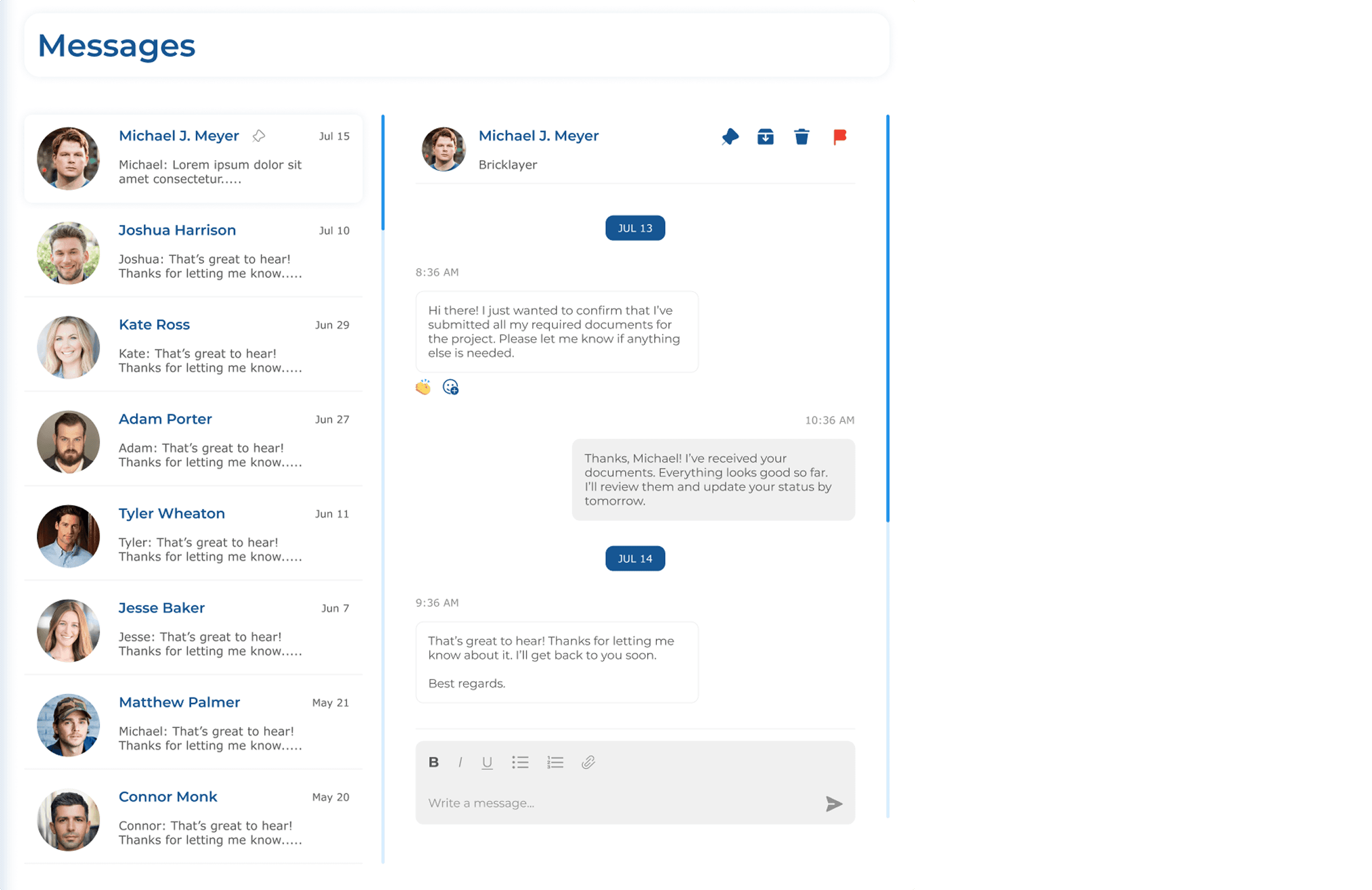
I conceptualized the idea of having a messaging area for faster communication between recruiters and candidates. Based on our target audience, I decided to keep the design familiar, simple and easy to understand. The design focused on making the interaction effortless and readable. I added subtle accents and clear hierarchy to ensure that messages feel personal and easy to follow without overwhelming the user visually.
Enhancing the onboarding experience
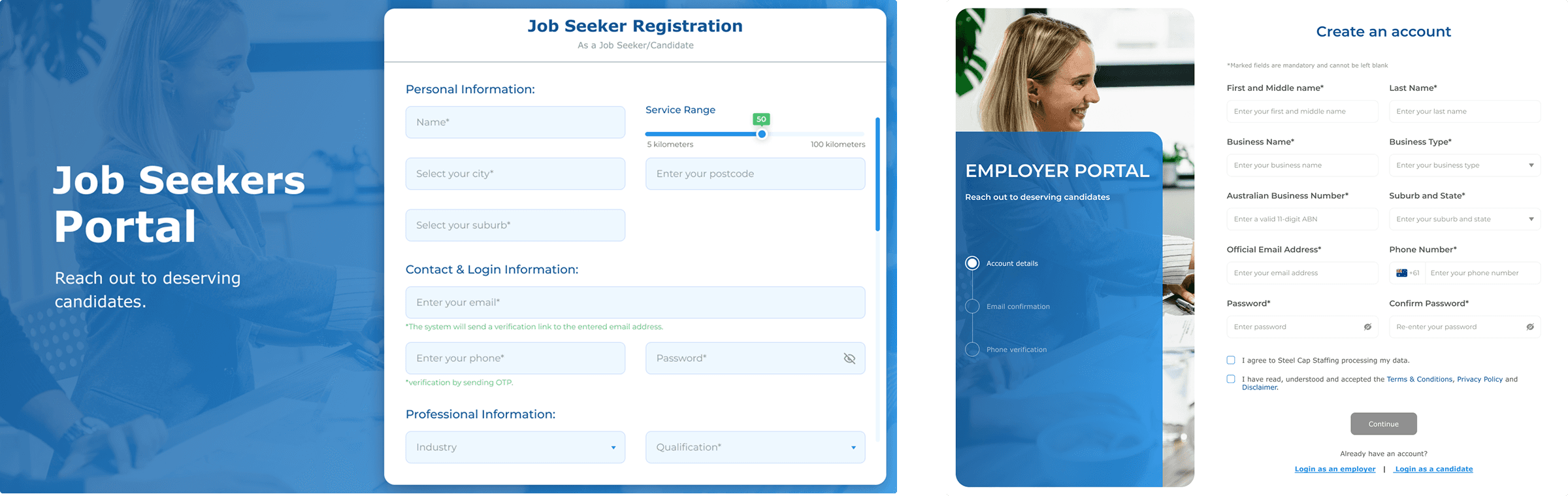
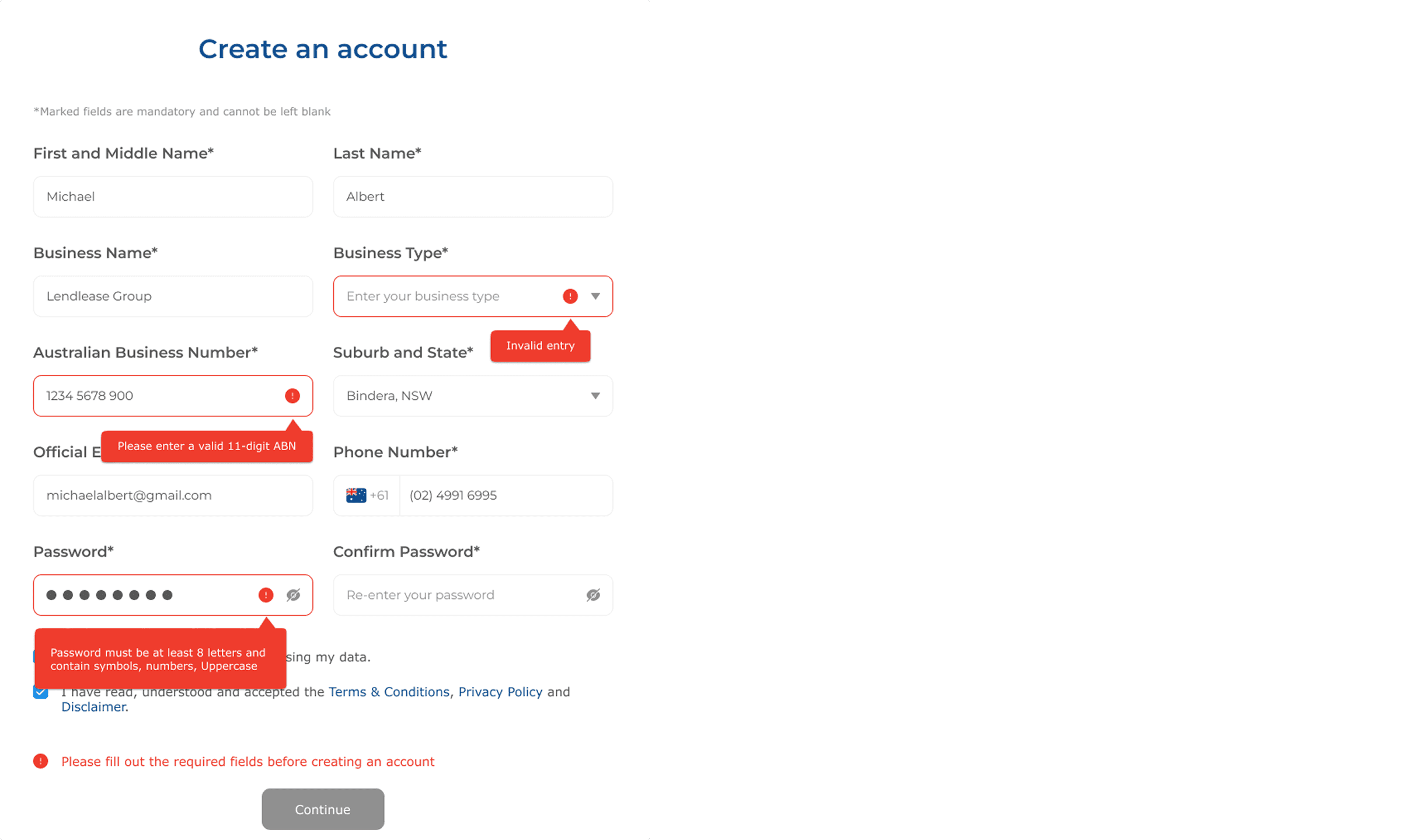
The sign-up and login flow was redesigned from the ground up to create a smoother and more user-friendly experience. I modernized the layout, introduced tooltips, refined input hierarchy and adjusted the spacing for better readability. I also added a dynamic step indicator that changes as users move through each stage of the registration process. This subtle yet effective addition improved orientation, helping users understand where they were and what came next. This ensured that first-time users experienced clarity and confidence right from the start.
Extending the experience beyond the platform
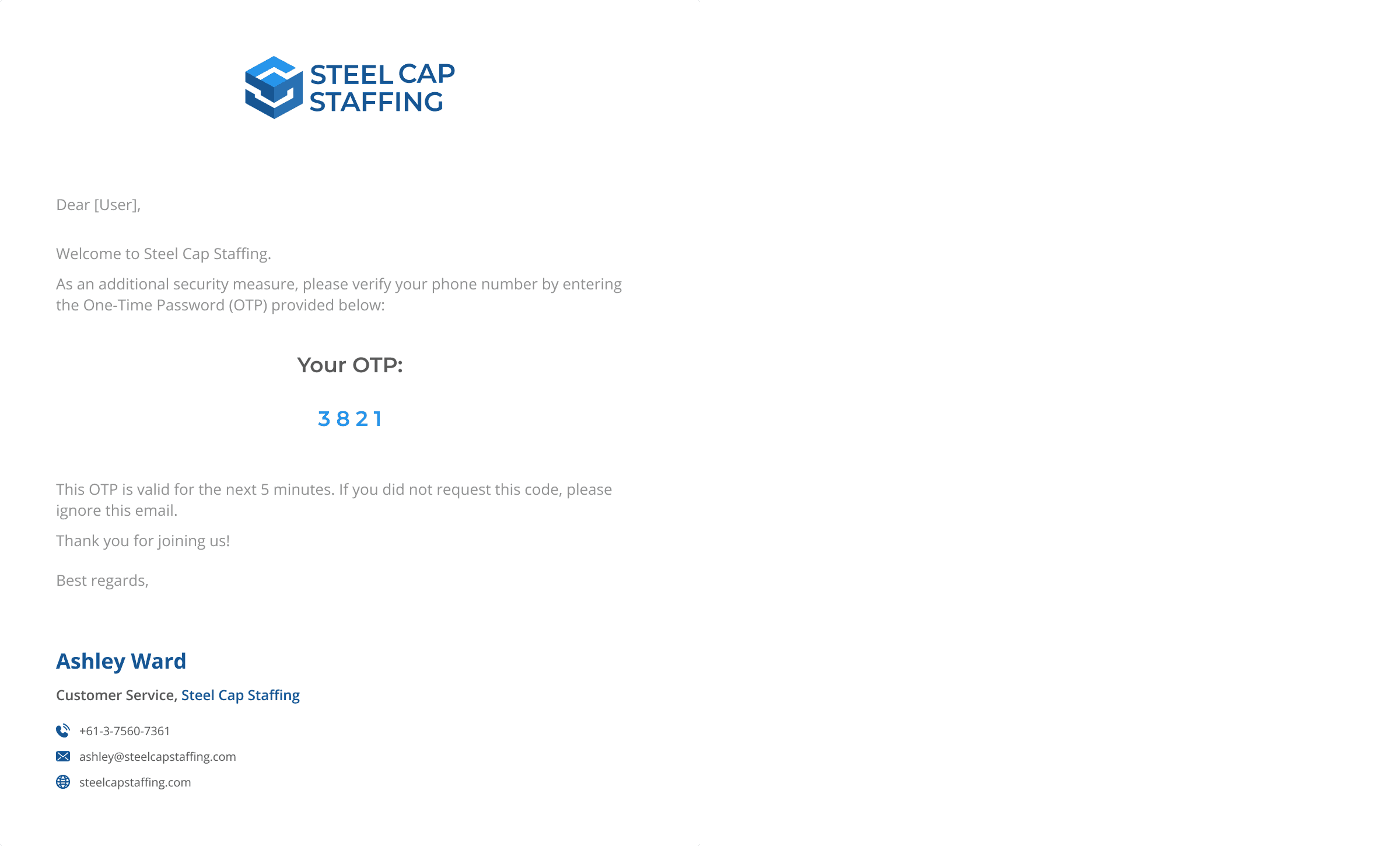
I designed a full suite of email templates for key actions such as verification, password reset, subscription confirmation, and customer responses. Each template followed the same visual language as the platform - clean layout, clear hierarchy and balanced white space. The goal was to make every email feel trustworth, familiar and strengthen the brand’s communication.
Results and outcomes
Consistency extended beyond the platform into all communication touchpoints. Email and invoice templates were redesigned to reflect the same modern, structured visual language, creating a cohesive, trustworthy and professional brand experience across every user interaction.
The project had been stalled for months due to lack of clarity and direction. After reorganizing the workflow, we completed the remaining work within 4-5 months while delivering a clean and unified platform that balanced aesthetics with usability.