
A task management app for individuals
There are already too many task management and to-do apps, so why another? I have tried Asana, ClickUp, Monday.com, Todoist, Sunsama, Tick Tick, Things, and a lot more. However, they all revolved around collaborations and teams. That is something which is not needed for inidividuals.

Fixed time slots for tasks
Every single tast management apps uses a fixed time slot for tasks. It is great if you already know how long a task is going to take but you have to take into account of the uncertain delays. When this happens, there are two choices: 1. Readjust the time slots 2. Ignore the change and move forward with the plan Both of these choices would defeat the purpose of the task app.
More time spent inside the task app
Due to many unneeded functions, just to add a simple task, users have to go through multiple layers. Making them spend more time inside a task app.
Adding new tasks after planning out the day
Adding a new task creates an overlap with the planned tasks or if set up with automations properly, the new task shifts the time slots for all the other following tasks.
Building the 1st prototype
This idea of building a task management app started during a desgin challenge. By that time, I had already used different task apps but never felt satisfied with the experience and for paying for functions that I didn't use. Hence I decided to build a task management app that would feel native to the system OS and will be focused on Individuals and Freelancers.
Exploring a new approach to task management apps
I first planned about the MSP for my app. How to differentiate it from hundreds of other task apps? And what problems I faced while using those apps? 1. Not being constrained by time slots. 2. Adding new tasks without disrupting the planned tasks. 3. Proper widget showing current task only. 4. Choice of platform.

From sketches to wireframes
The first wireframes were quite a bit different from the current design. These were quick designs with additional elements added to complete specific scenarios.

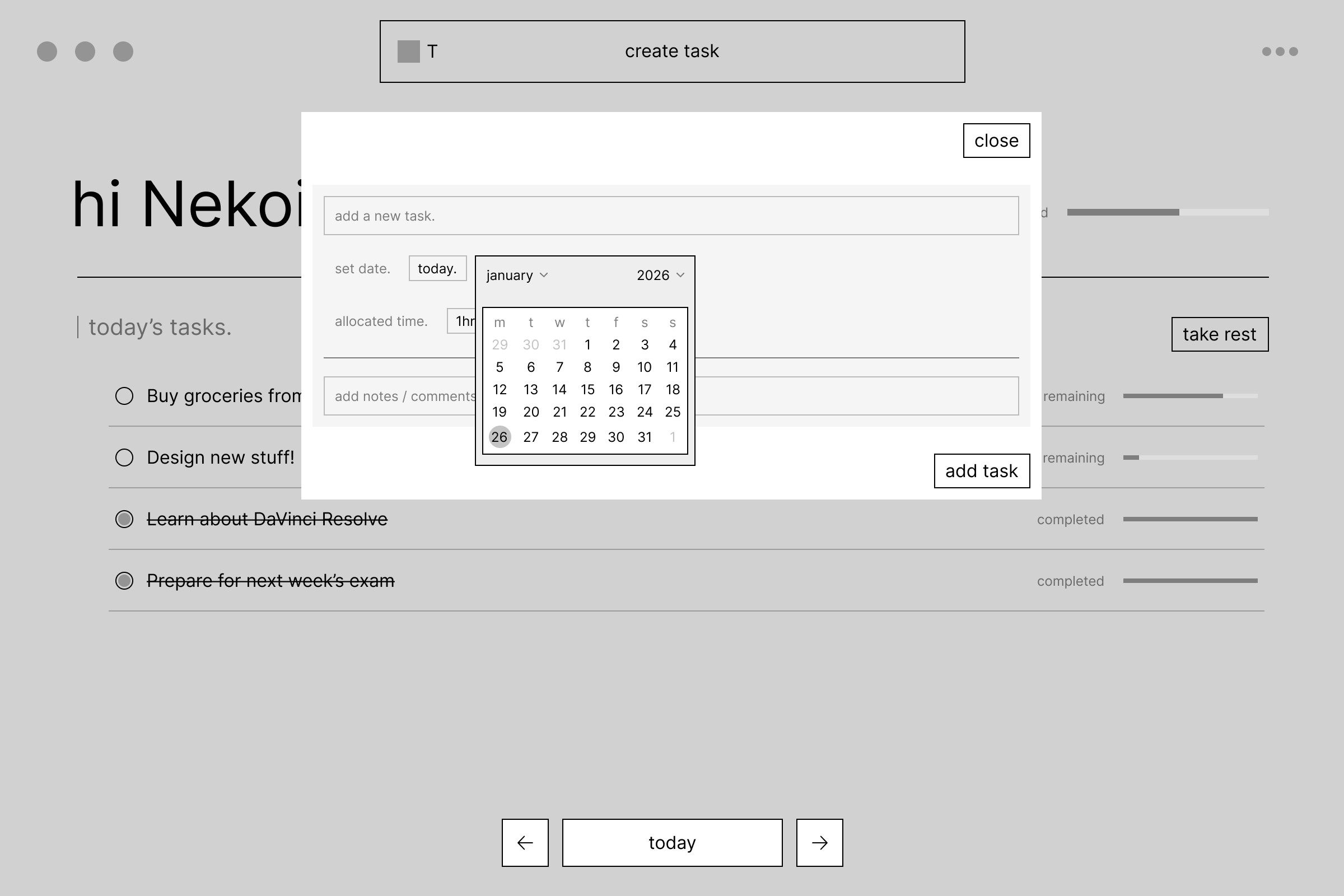
Building the first visual prototype
The mockups had minimalistic vibes and I started the project on Wix Studio for the prototype. As it was initially part of the design challenge, I built the entire website focusing on the showcase of the app.
Preparing for Figma Makeathon
At this time, I was experimenting a lot with AI tools and had set up MCP servers for FIgma. Using Codex and Figma MCP servers and referring to my PRD, I iterated upon my previous designs to add more functions while keeping the core idea same. I was able to create multiple variants for different themes, accents and also tried out different designs in a short period of time.
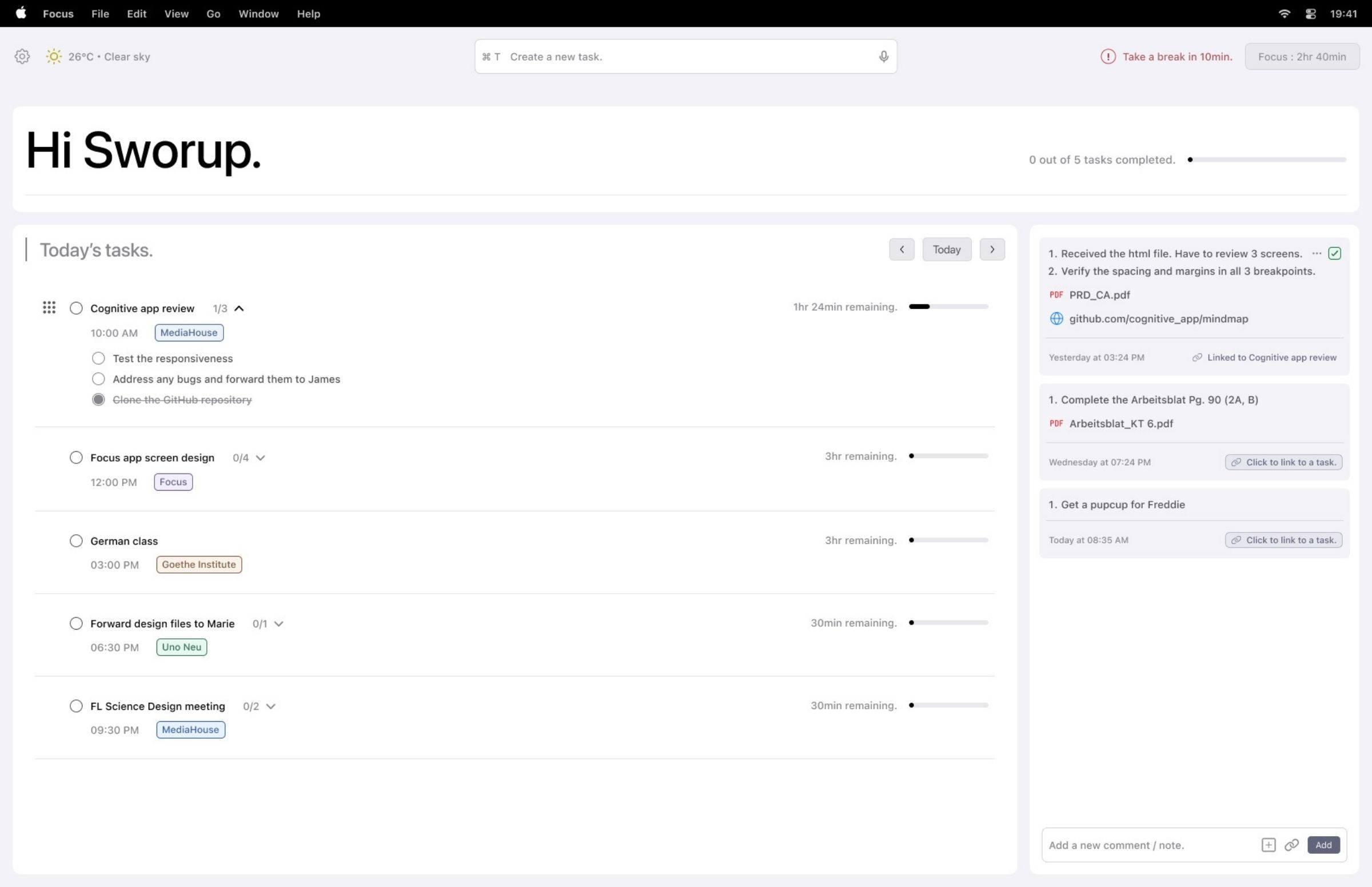
Building the complete user flow
To create this fully editable prototype, I used Figma Make as part of Figma Makeathon. While Figma Make cannot really make an app, I decided to build a site that would give an illusion of a functional app by building the Mac OS desktop within the website. As part of a Mac app, I followed Human Interface Guidelines - the design system by Apple.
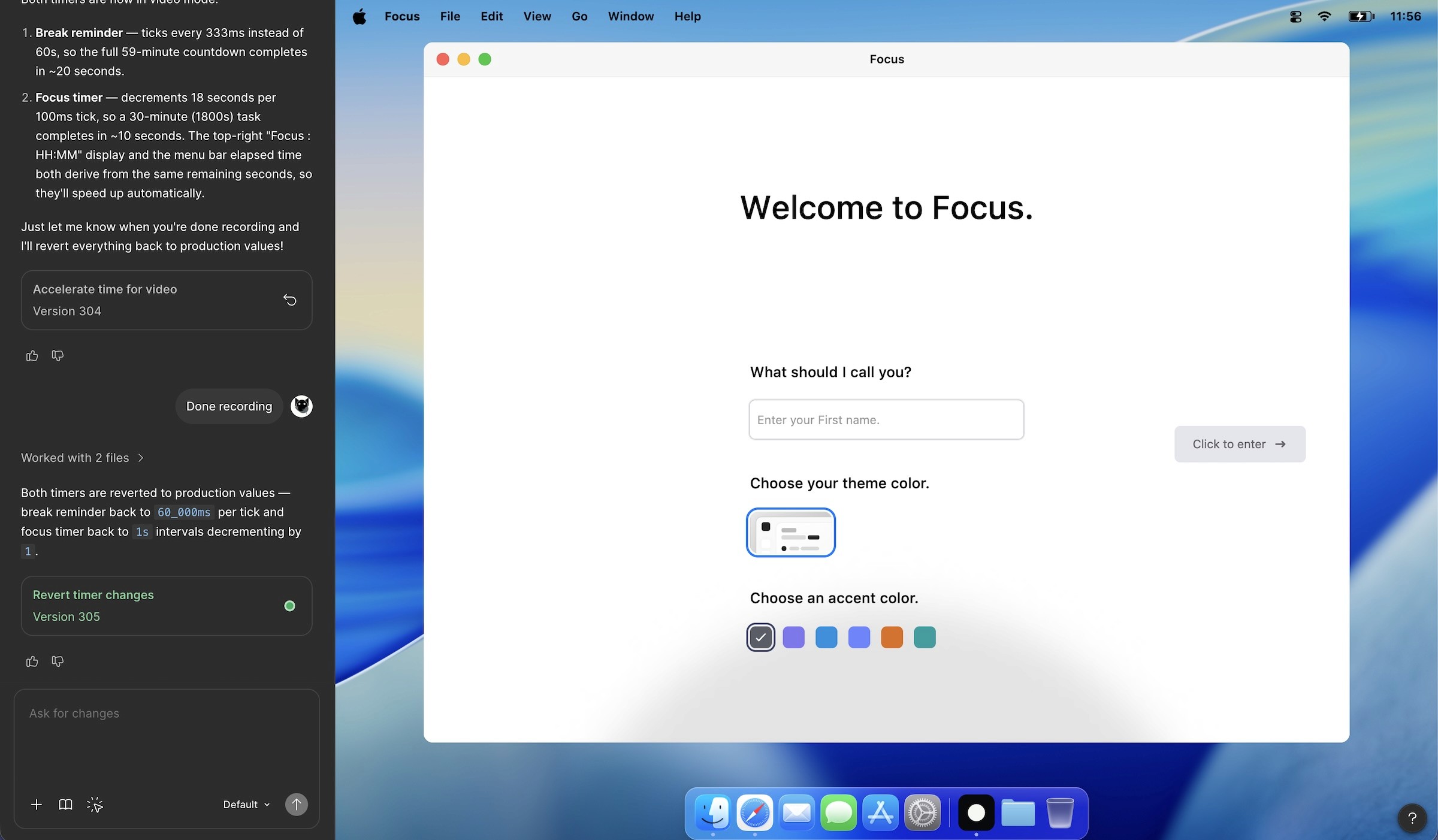
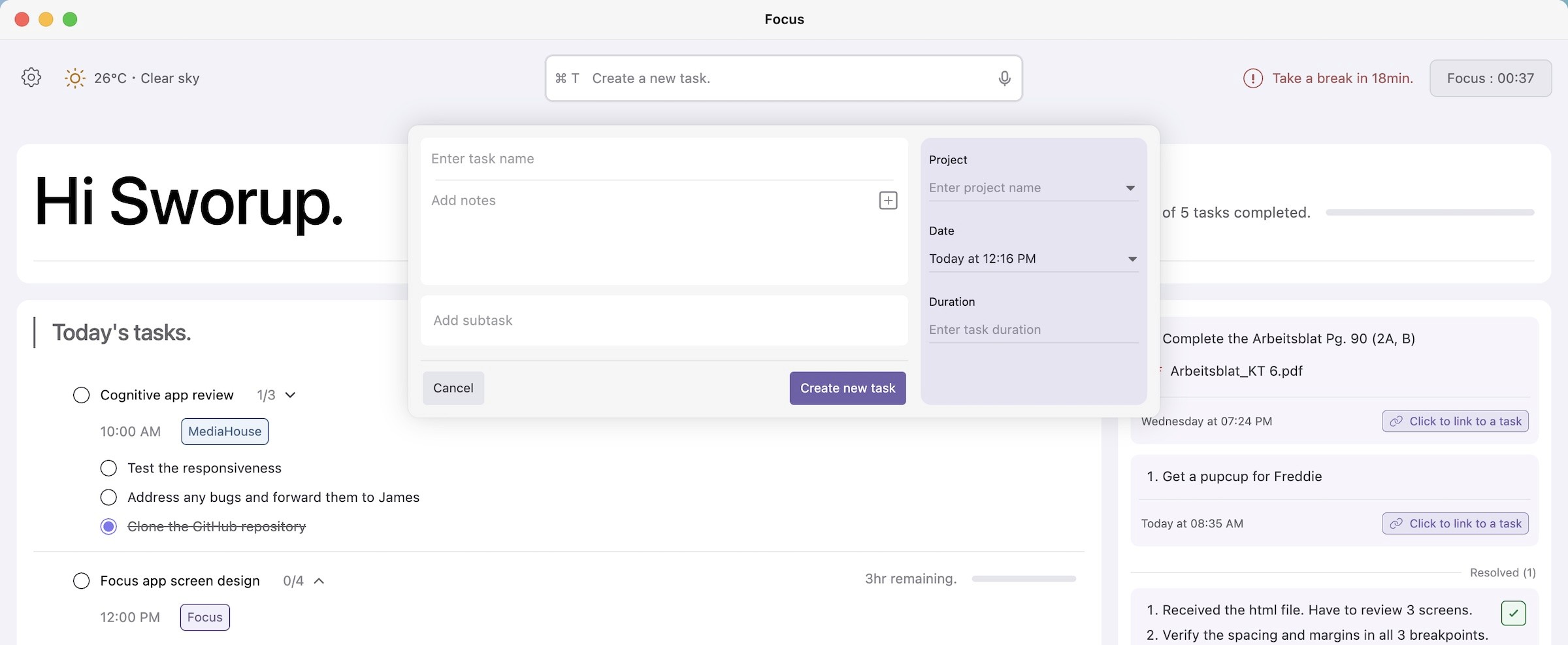
Focus prototype version 2
It took over 300 revisions in Figma Make to build this fully functional prototype in a web format. Most of the revisions were about adjusting the font sizes and spacings. The logic for creating a task, how it was linked with a subtas, the duration and the small widget took just one single extremely detailed prompt each time.
Complete user flow from creating a task to completing it
At the current stage, it has all the functions of a task app except opening attachments. The time set in tasks and in the menu bar is synced with your system's actual time. Tasks, subtasks, notes, comments are all linked with each other as well.
This is an ongoing project and while it is still a web prototype, the actual app will be released.
To try it, check out:
https://focus-macos-app.figma.site/