



ARTICLE
So, I recently got my hands on Claude Design, and there’s been quite a buzz around it. Some folks are even saying it might spell the end for Figma. I remember hearing similar chatter when Bolt and Lovable were gaining traction, and when Framer introduced its infinite canvas and vector drawing capabilities. Now, with Claude Design making its debut, the question is: will it dethrone Figma? Spoiler alert: I don’t think so.
I decided to put Claude Design to the test while working on a settings window for my app, CueNow. It’s a simple sticky note app, so the settings aren’t too complex and here’s my experience with it.
Wireframing the settings window in Claude Design
I had already built the actual app so I had a clear design direction already. I wanted to check out some layouts for my app's settings however. In order to try out as many features as possible, I started with three wireframe variations for the settings window. There were a few things that I found very interesting:
Working Hi-Fidelity Wireframes
Claude Design impressed me by generating three interactive wireframe variations based on my prompt. Each variation included multiple screens within the settings window, which was a pleasant surprise.Proper Planning
After I sent my prompts, Claude automatically switched to a planning mode. It outlined progress steps and tackled them one by one. However, I noticed that the progress steps stopped checking off once completed, which was a bit frustrating.
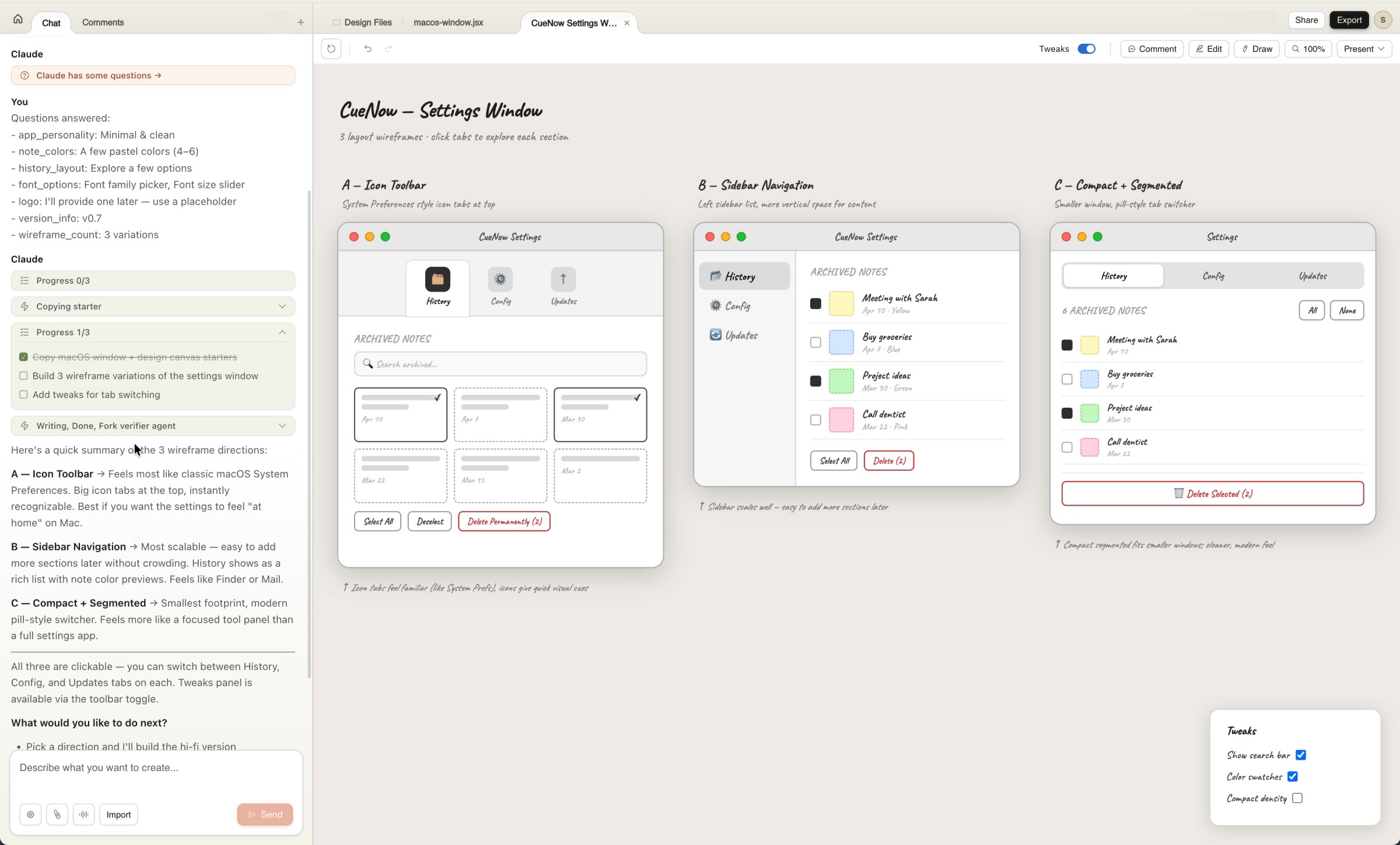
Tweak Properties Window
This feature was a game-changer. A small control center popped up, allowing me to adjust design details without having to re-prompt the AI. It’s reminiscent of Framer’s property controls and saved me a lot of tokens.Importing Current Designs
I was able to import screenshots and even my Figma design into Claude Design. While I didn’t import components since they weren’t needed, the option is there, which is nice.Comments
Hands down, the best feature! I added comments to specific design elements and asked Claude to iterate on them. This approach allowed me to make targeted changes without altering the entire design. It’s similar to features in Figma Make, Cursor, Windsurf, and Antigravity. The only problem that I found here was that the comments didn’t get resolved after iterations, so I had to be careful to select only the new comments when iterating again.
Once I had my wireframe variations, I made some tweaks and was ready to move on to prototyping. But here’s where I hit a snag. After a few rounds of tweaking, I couldn’t figure out how to send the wireframe for prototyping. I could have asked Claude to start working on it, but the option wasn’t immediately clear. After another update, the option reappeared, but a dedicated handoff button would be a welcome addition.
Converting wireframes to prototypes
Once the wireframes were imported, Claude Design quickly built the prototype. It generated HTML files, organized them, included my assets, and delivered a prototype that matched the wireframe layouts. The interactions worked well, and it was fast. However, I believe it’s more suited for initial ideation than a final product. My reasoning?
While it works well for websites, I was testing it for a Mac app, and I wanted Liquid Glass effect which wasn’t getting implemented correctly.
Some element designs didn’t follow the instructions, even with detailed sources and prompts.
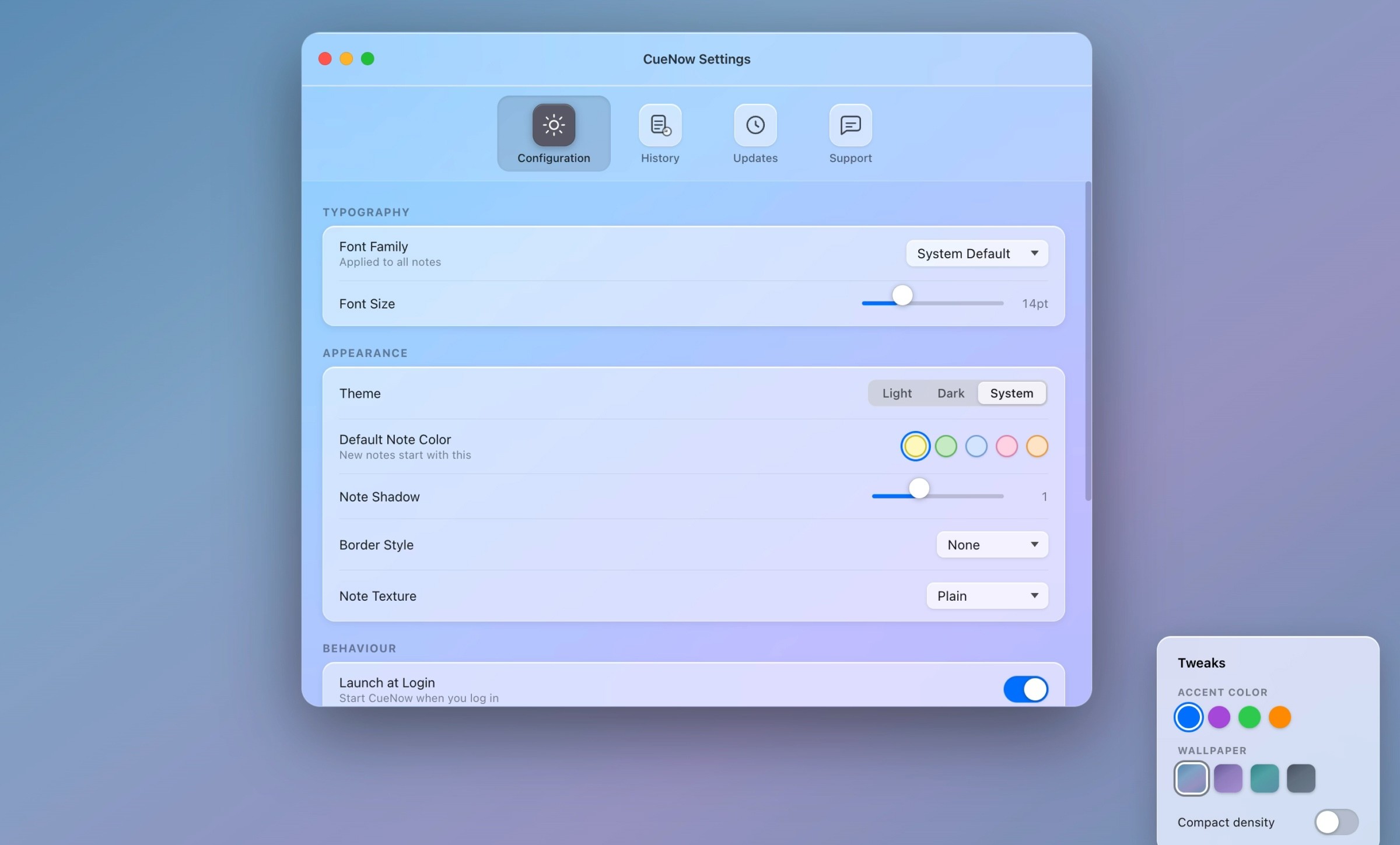
The biggest problem with Claude Design
Now, let’s talk about the elephant in the room: the ‘Limits.’ I am on the Pro plan and steamrolled my way through the new 'Design limits' after just literally 12 messages. This included both wireframes and prototypes with tweaks. The limits reset after a week, which is a long time for only 10-14 messages. There are other apps like Lovable, Bolt, Base44, Figma Make, and Figma MCP that offer similar features and are more accurate for final product design. They can build apps, not just websites.
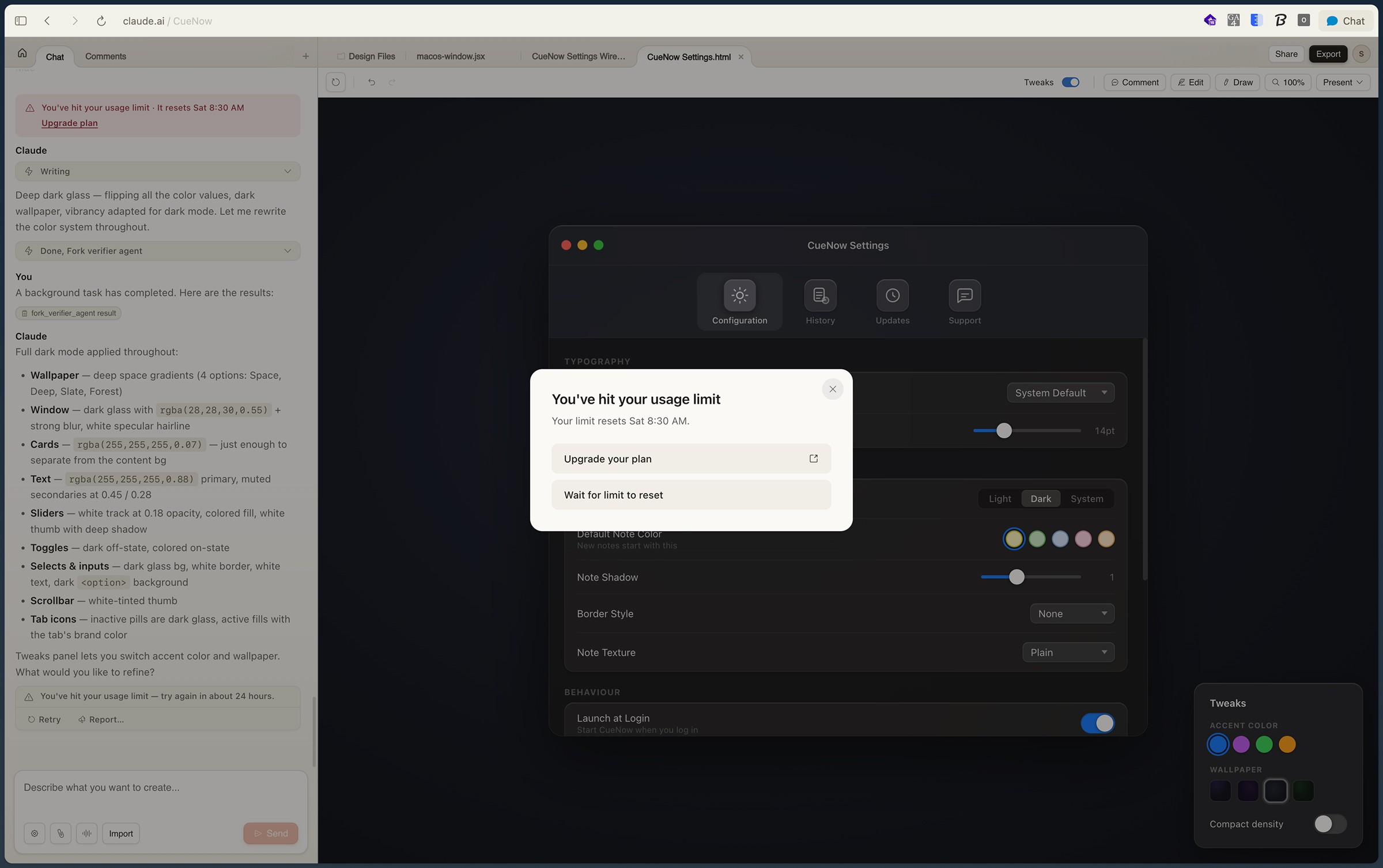
Plus, Claude seems to be trying to keep you within their ecosystem, allowing only Claude models. In contrast, Lovable, Bolt, and MCP server offer more flexibility with BYOM that are also better-performing at a much lower cost.
Another downside is the lack of export options to Figma or other design apps. Figma remains a fantastic collaborative tool. That is the main selling point of Figma during this time of AI. Besides, its Figma Make feature already includes Claude models with way more generous limits.
Finally, here's my take - I don’t think Claude Design is going to replace Figma (Even though their market share has dipped). I believe Claude Design seems to be more focused on competing with other AI prototyping tools and it's probably great for actual Developers with some design knowledge to accelerate their work.